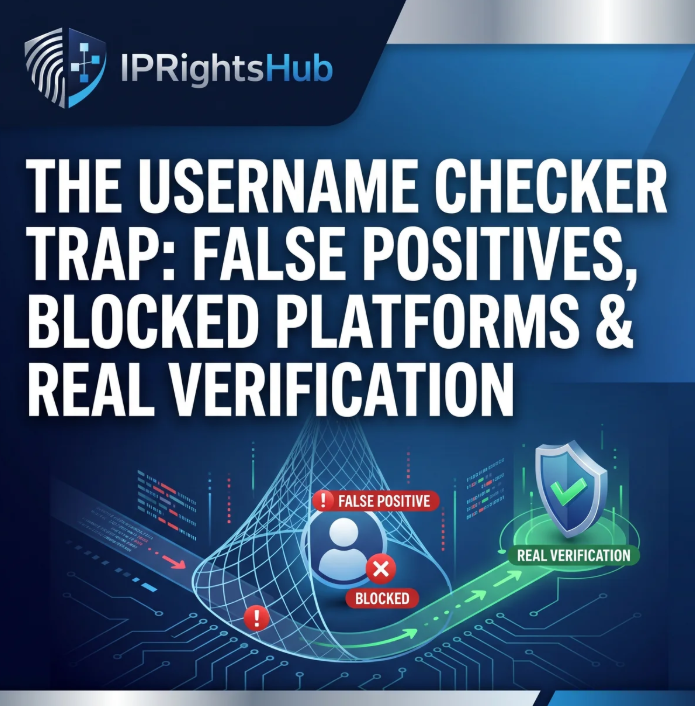
The Username Checker Trap: False Positives, Blocked Platforms & Real Verification
Advertisement
You want a consistent username across Instagram, TikTok, X, YouTube, and your domain. So you fire up Namechk, type in your startup's dream name, and watch the results load. Green checkmarks next to Instagram, TikTok, and LinkedIn. You take it as a win and spend the next two hours setting up accounts. Then you hit Instagram first. "Username isn't available." But the checker said it was available 20 minutes ago.
This happens constantly. And it's not because the tool is broken—it's because the tool is fundamentally limited by how social platforms actually work, and almost no one explains why.
Advertisement
The Technical Reality: Why Username Checkers Fail
Here's what a username checker actually does: it sends an automated request to a platform's API or checks the HTTP response code. If it gets a 404 (page not found), the tool marks the username as "available." If it gets a 200 (page exists) or a platform-specific block, it marks it as "taken."
Need help? Our tools can help you identify potential IP conflicts before they become costly problems. Try a free scan →
The problem is that this method detects only one state of availability—whether a URL returns a 404. It completely misses the other states that matter:
Advertisement
Deleted accounts that are permanently locked. When someone deletes their Instagram account, the username doesn't get recycled immediately. Meta keeps it locked in their database for a period of time, sometimes indefinitely. The account page returns a 404 to automated checkers. The checker sees 404 and reports "available." But when you try to register it, Instagram's internal database says "locked." You get an error.
Suspended and banned accounts. A username that was banned for violating platform rules can stay locked forever. Again, the page might return 404 to a checker, but the database entry is permanent.
Platform-specific restrictions. Instagram, TikTok, Facebook, and LinkedIn have started aggressively blocking automated requests. They recognize the checker's user agent and return a generic error or HTML page instead of a real API response. The checker can't tell the difference between "blocked by this platform" and "actually taken," so it guesses. Usually wrong.
Advertisement
API rate-limiting and timeouts. Some checkers queue requests. By the time they reach Platform X in the queue, the platform has throttled them or blacklisted their IP. The request times out. The tool marks it as "error" or "unknown." You assume it means "probably taken" and move on. Actually available.
Need help? Our tools can help you identify potential IP conflicts before they become costly problems. Try a free scan →
Which Platforms Actually Block Automated Checks?
From the community feedback and current API landscape, the biggest culprits are:
Advertisement
Meta ecosystem (Instagram, Facebook, Threads). Meta is the most aggressive. They actively identify and block checkers. Most tools report 30-50% error rates on Meta properties. A tool might say "can't verify" or "error," and you have no idea if that means the name is taken or if the checker just got blocked.
TikTok. Same story. ByteDance blocks automated requests to prevent username enumeration. Tools get 404s on accounts that definitely exist because the platform intentionally returns misleading responses.
LinkedIn. Will block checkers. LinkedIn is protective of its database for security and privacy reasons.
Advertisement
Threads. Relatively new, inherits Meta's blocking behavior.
YouTube. Handles custom URLs differently than the checker expects. A custom URL might be "available" but not claimable because your channel doesn't meet the requirements yet.
Reddit. Once a username is taken and the account is deleted, it's gone forever. The API returns 404, which looks like "available" to checkers, but Reddit keeps the username locked. Permanently.
Advertisement
Platforms like X (Twitter), Bluesky, Discord, and Twitch are more open to checking. Their results tend to be more reliable. But even these have their edge cases.
Why This Matters: The False Positive Trap
Need help? Our tools can help you identify potential IP conflicts before they become costly problems. Try a free scan →
Here's the founder paranoia that's actually justified: you type your million-dollar startup name into a free tool, and now a bot farm has logged it.
Advertisement
That's rare. But what's common is this: you get false positives. The tool says "available" on 8 out of 10 platforms you checked. You register it on the ones that worked. You launch. Six months later, you realize the checker failed on Instagram, TikTok, and Facebook—the three platforms you actually needed. Now your brand is split. You're @mycompany on X and YouTube but @mycompany_official on Instagram because the checker lied.
Reddit users report this constantly. "I tried tools like Namechk and KnowEm. They work, but many feel heavy and cluttered... and then they're wrong half the time." Another: "I made a username availability checker. Facebook, YouTube, and TikTok added more restrictions for automated checks. Now I have to implement separate checkers for separate platforms."
The reason most top-ranking articles don't mention this: they're written by tool affiliates. They get paid per Namechk signup. They're not going to bury the lede with "this tool fails 40% of the time on Meta."
Advertisement
The Ghost Account Problem
Need help? Our tools can help you identify potential IP conflicts before they become costly problems. Try a free scan →
Let's say you find an Instagram username that's available on every tool. You go to register it. Error: "Username isn't available."
What happened? The account was created in 2018, inactive ever since, then deleted in 2022. The Instagram profile page is gone (404). But the username string is still in Meta's database as "claimed." Why? Because Instagram keeps deleted usernames locked for a period. Sometimes that period is 30 days. Sometimes it's indefinite.
Advertisement
A tool would see the 404 and say "available." Meta's registration system sees the database lock and says "taken."
This is called the Ghost Account problem. The username exists in the database but not on the public web. Checkers can't see it. You think it's free. It's not.
Which Platforms Actually Recycle Usernames?
Advertisement
This is the question founders really want answered, and almost no one addresses it directly:
X (Twitter). Sometimes recycles deleted usernames. Not consistent. You might find an old inactive account, and six months later the username becomes available. Wait long enough, maybe.
Bluesky. Relatively new, so unclear. User reports suggest usernames aren't recycled quickly if at all.
Advertisement
Discord. Usernames are tied to a numeric ID, not just a handle. You can change your handle freely. So "availability" works differently—any handle is technically available for anyone to use at any time, but there's no "claiming" it. Different paradigm.
YouTube. Custom URLs have separate requirements and availability. Different from the username itself.
Need help? Our tools can help you identify potential IP conflicts before they become costly problems. Try a free scan →
Instagram. Deleted usernames are locked. Period. Community reports suggest they stay locked even years after deletion. Not recycled.
Advertisement
TikTok. Unknown. Platform opacity makes it hard to verify.
Reddit. Usernames are never recycled. Once taken, that's it. Even if the account is deleted, the name stays locked. This is why checking on Reddit is less useful—there's no meaningful "available" outcome.
Facebook. Username policies are murky. Meta doesn't clearly publish recycling windows.
Advertisement
LinkedIn. Not user-facing like other platforms. Custom URLs have different rules.
Need help? Our tools can help you identify potential IP conflicts before they become costly problems. Try a free scan →
The honest answer: most major platforms don't recycle usernames in any predictable way. Checkers report false positives because they're guessing based on HTTP status codes, not because they have access to real availability data.
What "Available" Actually Means (And What It Doesn't)
Advertisement
Here's what a green checkmark on a username checker actually tells you:
- The automated check didn't get blocked by the platform.
- The public profile page returned a 404 (or similar) to the checker.
- That's it.
What it does NOT tell you:
Advertisement
- The username is actually claimable right now.
- The username won't be squatted by a bot between the check and your registration attempt.
- The platform's internal database doesn't have a ghost lock on it.
- A platform update didn't change the requirements for that username.
- The account wasn't banned and remains locked.
This gap is why the most upvoted Reddit comment on username checkers says: "If all fails, manually checking might be your best shot for 100% results."
The Real Verification Workflow (What Actually Works)
Advertisement
Stop trusting one tool. Here's the only method that works:
Step 1: Run the checker as a first filter. Use Namechk, Knowem, or Namecheckly. It's fast. It eliminates obvious taken names. But expect 20-40% false positives on major platforms.
Need help? Our tools can help you identify potential IP conflicts before they become costly problems. Try a free scan →
Step 2: Manually verify every platform you actually care about. Go directly to Instagram, TikTok, X, LinkedIn, YouTube, Bluesky—whatever your brand needs. Search for the username. Try to click on it. If you get an error or a blank page, do not assume it's available. It might be a ghost account, a banned account, or a platform block.
Advertisement
Step 3: For Meta properties, add extra caution. Instagram and Facebook are the biggest sources of false positives. If the checker says "available" but the manual check seems ambiguous, assume it's locked. Try a variant or a different name.
Step 4: Check the domain at the same time. Namecheckly includes domain availability. If the .com or your preferred TLD is taken by a squatter, you're starting from a disadvantage anyway. Check this first; it's usually more reliable than social usernames.
Step 5: Check immediately before registering. Between your checker result and your registration attempt, a bot could have claimed the name. Especially on X, YouTube, and Discord. Do the manual check and register within the same session if possible. Don't wait a day.
Advertisement
Step 6: Have a backup list. Pick 3-4 variants before you start checking. If your first choice is unavailable, register the backup immediately while you've got momentum. Waiting—even a few hours—increases the risk that the bot farms get there first.
Need help? Our tools can help you identify potential IP conflicts before they become costly problems. Try a free scan →
Step 7: Document your choices. Write down which platforms you claimed, which ones you couldn't, and why. When you rebrand or expand, you'll have a record. And if a platform later says the name wasn't available, you'll have proof you checked.
Why Tools Keep Getting This Wrong (And Why They Don't Fix It)
Advertisement
The real reason checkers produce false positives at scale is that fixing it would require them to:
- Maintain separate, platform-specific scrapers for each of the 100+ sites they claim to check.
- Work around active platform blocks and API restrictions.
- Keep up with API changes every time Instagram, TikTok, or Facebook updates their systems (which they do constantly).
- Manually verify a sample of their results to catch false positives before shipping them to users.
That's expensive. Most tools are side projects or small startups. They implement a generic checker once and then check every platform the same way. When platforms block them, they don't know, so results degrade silently.
Advertisement
The tools that do work better (like specific Reddit checkers or X checkers) implement per-platform logic. They know how each platform actually responds. But you can't use one tool anymore—you need five.
This is why a community comment from an OSINT thread is spot-on: "A lot of those websites tend to produce false positives." And another: "I still have issues with facebook, linkedin, patreon, spotify, threads, tiktok, twitch as they are blocking certain traffic."
Developers who build these tools know about this and say so—usually in Reddit threads that get buried. They don't shout it because it tanks their credibility. But anyone who builds a username checker for real discovers this problem immediately.
Advertisement
Common Mistakes Founders Make
Mistake 1: Trusting a single tool 100%.
A tool says your name is available everywhere. You register on one platform based on that. Wrong. Always manually verify every platform you actually care about.
Need help? Our tools can help you identify potential IP conflicts before they become costly problems. Try a free scan →
Mistake 2: Checking once and forgetting about it.
Between your check and your registration, someone else might have claimed it. Check and register in the same session. Don't wait.
Advertisement
Mistake 3: Assuming "error" means "available."
If a checker returns "error" or "can't verify" on Instagram, it probably means the platform blocked the checker, not that the name is free. Manually verify before concluding anything.
Mistake 4: Not checking the domain.
You get the Twitter handle but discover the .com is owned by a squatter. Now your brand looks fragmented. Check the domain as part of the same workflow.
Mistake 5: Registering without a backup plan.
If your first choice doesn't work on any platform, you scramble. Have 3 pre-vetted variants ready so you can register quickly when you find one that works everywhere.
Advertisement
Mistake 6: Ignoring Reddit-specific behavior.
Reddit usernames are never recycled. If a username is taken on Reddit, it's off the table forever. Most checkers report this, but many founders skip Reddit as unimportant. If you want true brand consistency, you need a Reddit-compatible username too.
Need help? Our tools can help you identify potential IP conflicts before they become costly problems. Try a free scan →
Mistake 7: Not documenting your verification.
Six months from now, you might want to claim the username on another platform. Or a new employee will ask why you don't have a consistent handle everywhere. Document what you checked, when, and what the results were.
Tools That Actually Work (And Their Limitations)
Advertisement
Here's what the current landscape looks like, based on user reports:
Namechk. Fast, covers 100+ platforms, domain checking included. Reliable on X, Discord, GitHub. Fails hard on Instagram, Facebook, TikTok (returns errors or false positives). Best used as a first-filter tool, not a source of truth.
Knowem. Older tool, still works for basic checking. Similar accuracy issues as Namechk. Better for domains than for social.
Advertisement
Namecheckly. Newer, better UI, similar coverage. Fails on the same platforms. Trending on Reddit for its UX, but the underlying data isn't dramatically better.
Custom Reddit checker. If you're specifically checking Reddit usernames, a dedicated checker works better because Reddit's API is more stable and less restrictive. But most general checkers fail on Reddit anyway.
Sherlock (open-source). Technically for OSINT, not username registration checking. It enumerates usernames across platforms. If Sherlock finds the username, it exists. If it doesn't, it might not exist, or Sherlock's plugin for that platform is out of date. More reliable than general tools but requires command-line knowledge.
Advertisement
Manual checking is 100% accurate. Go to each platform, search the username, try to click on the profile. See if you can register. This is the gold standard. It takes 10 minutes. It's worth it if the username matters.
Frequently Asked Questions
Need help? Our tools can help you identify potential IP conflicts before they become costly problems. Try a free scan →
Why do username checkers show "available" when the platform says "taken"?
Advertisement
The checker sends an automated request to the platform's public API or web page. It's looking for a 404 status code (not found). If it sees a 404, it reports "available." But the platform's internal database might still have a lock on that username (ghost accounts, bans, deleted-but-locked status). The public page is gone (404), but the database entry is permanent. The checker can't see the database.
Can I trust a username checker result?
Only as a first filter. Use it to eliminate obviously taken names and to get a quick overview. But manually verify every platform you care about before registering anything.
Advertisement
Which platforms block username checkers the most?
Need help? Our tools can help you identify potential IP conflicts before they become costly problems. Try a free scan →
Instagram, Facebook, TikTok, and LinkedIn are the most aggressive. They actively detect and block automated requests. Tools report 30-50% error rates on these platforms alone. You almost always need to manually verify Meta properties.
Do deleted Instagram usernames become available?
Advertisement
Not immediately, and often not at all. Meta locks deleted usernames for an undefined period. Community reports suggest most stay locked indefinitely. Don't count on recycling.
What should I do if a checker says "available" but the platform says "taken"?
The platform is right. Trust the platform. The checker either (a) got blocked by the platform, (b) saw a ghost lock in the database, or (c) has outdated information. Never register based solely on a checker result.
Advertisement
Is it true that username checkers steal your name?
Extremely unlikely. Reputable tools (Namechk, Knowem) don't operate like that. They're not financially incentivized to squat usernames. But this paranoia is justified in the sense that you're giving a tool real-time signal that this username matters to you. Responsible behavior: verify and register immediately after checking. Don't wait.
What's the fastest way to find a consistent username across all platforms?
Advertisement
Check the tool first for a quick filter. Then manually verify the 3-4 platforms that matter most to you (usually Instagram, TikTok, X, and your domain). If all of those are available, you're good. Register immediately. If not, try your backup variant and repeat.
Can I monitor usernames to see if they become available?
Need help? Our tools can help you identify potential IP conflicts before they become costly problems. Try a free scan →
Yes, but most checkers don't have this feature. Some tools like Knowem used to offer username alerts. Your best bet: check the specific platforms' notification settings if they offer them, or set a manual reminder to re-check in 30-90 days.
Advertisement
Why do tools claim to check "100+ platforms"?
Because the web is huge, and there are hundreds of sites with user profiles. But most users care about 5-10 platforms (Instagram, TikTok, X, YouTube, LinkedIn, Discord, Bluesky, GitHub, and their domain). The checker is padding the number. Focus on the platforms you actually need.
What's the difference between a username checker and an OSINT tool like Sherlock?
Advertisement
Username checkers are designed for registration—you want to know if a name is available to claim. OSINT tools are designed for enumeration—you want to know where a specific username already exists across the web. They use different methods and have different accuracy profiles. Don't use OSINT tools to check availability for registration.
Need help? Our tools can help you identify potential IP conflicts before they become costly problems. Try a free scan →
What to Do Right Now
If you're about to launch a brand or rebrand an existing one:
Advertisement
- Make a list of 5 platforms where you must have a consistent handle.
- Pick 3 username variants you like equally.
- Open Namechk and search variant #1. Takes 30 seconds. Note the results.
- Open each of your 5 priority platforms. Search variant #1 manually. Take screenshots of what you see.
- If variant #1 is free on all 5 platforms, register it immediately. In the same session. Don't wait.
- If not, try variant #2.
- Keep a spreadsheet: username, platform, status (registered/taken/error), and the date you checked. You'll need this later.
The whole process takes 20 minutes. It's 20 minutes that saves you from a months-long rebranding headache later.
The bottom line: Username checkers are useful as a first pass, but they're not deterministic. They fail on the platforms that matter most (Instagram, TikTok, Facebook). The only verification method that works is manual checking on each platform you care about, done immediately before registration. Don't trust an automated tool with a decision that affects your brand identity.